-
 'Echelon Conspiracy' Eyes July Blu-ray Release[teaser]Paramount Home Entertainment has announced a late-June Blu-ray bow for the actioner 'Echelon Conspiracy.'[/teaser] Starring Ving Rhames and Edward Burns, and barely rating a blip on the box office radar, Paramount will debut the little-seen thriller on Blu-ray July 21, day-and-date with the standard DVD. Tech specs will present the film in 1080p/AVC MPEG-4 video with an English Dolby TrueHD 5.1 Surround track. There are no announced extras. Suggested list price for the Blu-ray has been set at $39.99. You'll find the latest specs for 'Echelon Conspiracy' linked from our Blu-ray Release Schedule, where it's indexed under July 21.Posted Tue Apr 21, 2009 at 11:00 AM PDT by:
 -
 Warner Preview Scares Up 'Trick 'r Treat' Blu-ray Release[teaser]Warner has premiered a new video trailer for 'Trick 'r Treat,' which offers the first news on a direct-to-video release for the still-unseen cult horror film.[/teaser] Written and directed by 'X2: X-Men United' scribe Michael Dougherty, the unique anthology horror yarn was originally produced over three years ago, and intended for a Halloween 2007 release. Quickly growing into the stuff of cinema legend, the film has since sat on the shelf despite highly-positive preview screenings, with the fate of the film remaining in limbo. Now, the folks over at Bloody Disgusting have unearthed a new online trailer that promises a direct-to-video premiere for the film later this year, debuting day-and-date on Blu-ray and DVD. Some of us at High-Def Digest have gotten to see 'Trick 'r Treat' at a rare preview screening last year, and it is original and ambitious -- something a genre currently drowning in sequels and remakes is sorely in need of right now. Though it's too bad Warner does not have enough faith in the picture to (apparently) give it a theatrical release, horror fans are in for far more of a treat than a trick when it finally does hit Blu-ray. At press time, Warner has not officially announced a street date or any specs for the video release of 'Trick 'r Treat,' but of course we'll keep you posted. As we await further word on 'Trick 'r Treat,' we've added a listing for the title to the "Release Dates Pending" section of our Blu-ray Release Schedule. Stay tuned...Posted Tue Apr 21, 2009 at 10:00 AM PDT by:
 -
 Amazon Puts 'Sarah Connor' Second Season Blu-ray Up for Pre-Order[teaser]With the series all but gone amid a ratings flame-out, Amazon.com has just listed 'Terminator - The Sarah Connor Chronicles: Season 2' on Blu-ray. [/teaser] With rumors swirling that the troubled Terminator spin-off has been all-but-canceled by Fox, Warner Home Video appears poised to make an official announcement for the Blu-ray, only days after the show's recently-aired second season finale. The release will follow 'Terminator - The Sarah Connor Chronicles: Season 1,' which hit Blu-ray last year. There's still no word on a release date, technical specs, or supplements at this time, but Amazon has made this set available for pre-order already for $55.99, over $20 off the suggested list price of $79.98. Click this link to be taken directly to the pre-order page, and be sure to keep an eye on our news area for updates on the release.Posted Tue Apr 21, 2009 at 06:00 AM PDT by:
 -
 ‘Battlestar Galactica’ Blu-ray Up for Pre-Order at Amazon[teaser]Amazon.com has just listed ‘Battlestar Galactica: The Complete Series ’ on Blu-ray. [/teaser] As previously reported, an advertisement on the ‘Caprica’ DVD touts that the hit science fiction drama ‘Battlestar Galactica: The Complete Series ’ is headed to Blu-ray. There’s still no word on a release date, technical specs, or supplements at this time, but Amazon has made this set available for pre-order already for $244.99, over $100 off the suggested list price of $349.98. Click this link to be taken directly to the pre-order page, and be sure to keep an eye on our news area for updates on the release.Posted Mon Apr 20, 2009 at 01:30 PM PDT by:
 -
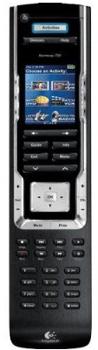 One Remote to Rule Them All[teaser]Tom Landy give's us a detailed review of the Harmony 720.[/teaser] Reviewed By Tom Landy Up until a couple of years ago, I had one hell of a time trying to find a decent universal remote to control my home theatre system. I must have gone through three or four different brands and without fail there’d always be at least one device in my setup that those remote codes just couldn’t recognize. I suppose having a remote that controls most devices isn’t entirely bad, but it kind of defeats the purpose of being universal then, doesn’t it? I had nearly given up on my quest to find the ideal universal remote control that suited my needs when I came across Logitech’s family of Harmony remotes. Logitech has quite a few different models available ranging from about $60 to several hundred, and each one looks and functions a little differently depending on what kind of features you’re looking for. The best part about them, though, is that they are all so easy to use they’re virtually foolproof. The first Harmony remote I ended up purchasing was the Harmony 890. It’s one of the more expensive models, because it doesn’t just have infrared (or IR) functionality like most remotes, it also has the ability to use radio frequencies (RF). This enables the remote to control devices hidden from view, perhaps tucked away inside a cabinet or closet. This was perfect for me, since at the time I had an awkward setup with my stereo (and receiver) in a different area than my TV. However, shortly afterwards I ended up buying a new flat screen LCD with a multi-level stand, which completely changed the entire layout of my system. Now I was able to put all of my components together in one place so I didn’t really need the RF ability any longer. I was a bit bummed that I spent so much money on a remote for a feature I was never going to use, but at the same time I still loved that remote. It was easy to program and use, it controlled every single one of my devices, and most importantly, made life much simpler. Anyway, to make a long story short, tragedy struck one day and my beloved Harmony 890 passed away. Luckily for me, it was still under extended warranty, and instead of the store fixing it or giving me a new one, they just gave me a gift card for the full value of the remote. Rather than upgrading to a higher model, I actually decided to downgrade to one with less features since I wouldn’t require RF anymore. I even saved myself a ton of cash, as for about ¼ of the cost I paid for the 890, I purchased the Harmony 720 – and it was one of the best decisions I’ve made in a long time. First, as you’ll notice (in the image above) the Harmony 720 has a sleek black design. It also comes with a full color LCD screen for the buttons owners can customize to their liking. Like most of the Harmony remotes, the 720 has a rechargeable battery and is packaged with its own cradle for charging. The battery lasts approximately a week or so before needing recharging, and the screen displays when the battery is running low. Set-up: Most of the Harmony remotes include software for programming and customizing them on a PC. First install the CD program onto a computer and follow the instructions. One thing that does get a little bit tricky with the program is that an account must be created first, and a separate account should be created for each remote and/or setup. For example, if you have a home theatre upstairs and another downstairs made up of different devices, you should create an account for each one. The screen should look like this: After creating an account, the very first thing to do is to add all of the necessary devices you wish to control with the remote. The Harmony database already has thousands of brand names and model numbers, and it’s continuously growing all the time. Simply click the DEVICES tab, then ADD DEVICE, and follow the instructions. Once you have all of your devices added to your account, it should look something like this: This is just a screenshot from my account. As you can see, I’ve added a TV, DVD Player, Blu-ray Player, PVR (satellite receiver), and my receiver. A little below is my cable box, radio, and CD player for my stereo, but those aren’t really important for the purpose this review. The next step is to create activities for your devices. This is what makes the Harmony remotes so great, because you can set the remote up to turn multiple devices on and/or off simultaneously with a simple click of one button. For example, if I wanted to watch a Blu-ray movie, I can create an activity called WATCH A BLU-RAY, and all that is required is to add the devices for this activity (Blu-ray player, TV, and AV receiver). Then, when I press that button on the remote, the 720 will turn on my Blu-ray player, the TV as well as the receiver, and even put them on the appropriate inputs (if any). Once you’ve created all of the activities you want, the screen should look something similar to mine below: Each activity is very clear listing what the activity is for, what devices are used, and there are a few different buttons to modify settings, troubleshooting, and even customizing buttons. This allows the remote to be tweaked just the way you want it. The final tab is for REMOTE SETTINGS. This area is pretty straightforward, and allows a user to change remote settings such as the clock and screen glow time, upload wallpaper for the screen background, and modify button themes. Once all the devices are added, activities have been created, and settings have been customized, the final step is to update the remote. All that is required is to plug the remote to the provided USB cable and hook it up to the PC, and then click UPDATE REMOTE (in yellow). This takes a few minutes, and once it’s done the screen will ask that the user test out the remote to see if everything is working properly. If it is, you don’t need to do anything else. If not, just simply go into the program and change whatever is off and then try updating again. Ease of Use: The entire purpose of the Harmony 720 (and other models) is to do away with all of the remotes for every device and just have one remote that does everything. As previously mentioned in the setup area, the activities a user can set up have the convenience of one-push access and it just doesn’t get any simpler than that. Users can also go into remote settings and change what the buttons do, and even make new buttons that are displayed on the screen. This is great for original remotes that may have a certain button on them that the Harmony doesn’t (such as PVR for personal video recorders). It can learn from the old remote itself if you have it handy, and if that doesn’t work there’s always the option to call tech-support. Just to show how good their customer service is, I had to call about that PVR button I mentioned since I have a Canadian satellite service provider and couldn’t get the Harmony to learn it, but the representative had it working for me within a couple of minutes. That was the only real hiccup I encountered. Another cool thing is that when my 890 died, I just changed my account status from 890 to 720 within the program. All of my devices and all of my activities remained the same, and all I had to do was update my new remote. I didn’t have to do anything else, and it worked like a charm. The Downsides: Even though I truly love virtually everything about my Harmony 720, there are a few minor downsides to these kinds of universal remotes. The big one is if you own a PlayStation 3, the 720 won’t be able to control it since the PlayStation 3 is Bluetooth. I don’t believe any Harmony models currently have this capability, but this is more of an issue with the PlayStation 3 than Logitech as most remotes are IR anyways. Another issue some may experience is that when using activity buttons, the devices are turned on in sequence so it takes 2-3 seconds for everything to activate. Impatient people who press the button and set the remote down quickly may find that not every device is turned on properly. Again, this really shouldn’t be much of a problem since it still does it much faster than if you had to control each device separately. The Bottom Line: While I wholeheartedly recommend the Harmony 720 and even the 890, I still strongly suggest doing a little bit of research to find the right model number for you. If you don’t have very many devices or a PVR, you might opt for the cheaper 510 model. Likewise, if you want a really spiffy high-end remote, you could always spring for the Harmony 1100 with a touch screen display that looks like something out of Star Trek. But as someone who has owned two different models from their line-up, I can tell you that Logitech delivers quality products and you’ll be easily be ecstatic with whatever model you choose.Posted Mon Apr 20, 2009 at 12:35 PM PDT by:
 -
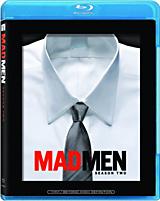 Facebook Sneaks 'Mad Men: Season Two' Blu-ray Details[teaser]Lionsgate is prepping 'Mad Men: Season Two' for a Blu-ray release in July, complete with hours of bonus material, according to a new post that has appeared on the cult show's Facebook group page.[/teaser] In a unique marketing move, the Mad Men Facebook Group (instead of the usual official studio announcement) unveiled box art and complete specs for 'Mad Men: Season Two,' which according to the posting will arrive on Blu-ray July 14 (day-and-date with the standard DVD). Among the many extras are audio commentaries with cast & crew on all 13 episodes, and three featurettes ("Birth of an Independent Woman, Part 1 and Part 2," "An Era of Style" and "Time Capsule." No tech specs were revealed, but something comparable to the previous 'Mad Men: Season One' set is expected, including 1080p/AVC MPEG-4 video and DTS-HD Lossless Master Audio 5.1 Surround tracks. Suggested retail price for the Blu-ray has been set at $49.99. You'll find the latest specs for 'Mad Men: Season Two' linked from our Blu-ray Release Schedule, where it's indexed under July 14.Posted Mon Apr 20, 2009 at 12:05 PM PDT by:
 -
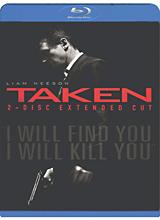 Fox Details 'Taken' Blu-ray[teaser]Fox has officially announced 'Taken,' which will come to Blu-ray this May in an extended cut version with multiple bonus features and Digital Copy.[/teaser] As previously reported, Fox dropped only a May window for the Blu-ray release of the surprise Liam Neeson kidnap thriller, but held off on any confirmed street date or specs. The official announcement is now here, with the $140 million-grossing smash headed to Blu-ray and DVD day-and-date on May 12. Featuring a new extended cut of the film plus the PG-13-rated theatrical version (accessible via seamless branching), tech specs will see a BD-50 dual-layer disc with 1080p/AVC MPEG-4 video and a DTS-HD Lossless Master Audio 5.1 Surround track. Extras include the audio commentary (with director Pierre Morel, screenwriter Robert Mark Kamen and cinematographers Michel Abramowicz and Michel Julienne), a pair of featurettes ("Making Of," "Avant Premiere"), a "Black OPS Field Manual" function and "Inside Action" comparisons of six scenes. Also include on a second disc is a Digital Copy compatible with PCs and iTunes. Suggested retail price for the Blu-ray has been set at $39.99. You'll find the latest specs for 'Taken' linked from our Blu-ray Release Schedule, where it's indexed under May 12.Posted Mon Apr 20, 2009 at 10:00 AM PDT by:
 -
 'Friday the 13th' Remake Hacks Blu-ray with 'Killer Cut,' Exclusives[teaser]Jason is slashing his way back to Blu-ray with Warner Home Video announcing an extended cut of the horror remake 'Friday the 13th' due this June.[/teaser] The latest '80s slasher classic to receive the remake treatment, the retooled 'Friday the 13th' scared up a record-setting $40 million in its opening weekend. The Michael Bay-produced update will make its way to Blu-ray on June 16, day-and-date with the standard DVD. Featuring a new "Killer Cut" of the film with footage not seen in theaters plus the R-rated theatrical cut (accessible via seamless branching), tech specs will see a BD-50 dual-layer disc with 1080p video and Dolby TrueHD 5.1 Surround audio. Extras include the "Explore the Rebirth of Jason Voorhees" featurette and additional "slashed" scenes. Exclusive to the Bu-ray is the "Terror Trivia" factoid track, the "Hacking Back/Slashing Forward" and "The 7 Best Kills" featurettes, and BD-Live connectivity. Also included on a second disc is a Digital Copy of both the extended and rated versions of the film, compatible with PCs and iTunes. Suggested retail price for the Blu-ray has been set at $35.98. You'll find the latest specs for 'Friday the 13th (2009)' linked from our Blu-ray Release Schedule, where it's indexed under June 16.Posted Mon Apr 20, 2009 at 08:00 AM PDT by:
 -
 Criterion to Bring 'Repulsion' to Blu-ray[teaser]Criterion has announced its latest classic for Blu-ray release, setting a late-July date for Roman Polanski's 'Repulsion.'[/teaser] The highly-influential 1965 horror-art film, which helped usher in a new wave of psychological fear cinema and introduced Stateside audiences to star Catherine Deneuve, will receive its Blu-ray debut on July 28. Tech specs will see a BD-50 dual-layer disc with 1080p/AVC MPEG-4 video (1.85:1) and an uncompressed PCM 1.0 Mono track. Extras include audio commentary (with Polanski and Deneuve), the "A British Horror Film" documentary, a 1964 television documentary, the trailer and a booklet. Suggested retail price for the Blu-ray has been set at $39.99. You'll find the latest specs for 'Repulsion' linked from our Blu-ray Release Schedule, where it's indexed under July 28.Posted Mon Apr 20, 2009 at 06:00 AM PDT by:
 -
 HD Advisor's 11Editor's Note: Each Friday, High-Def Digest's own HD Advisor will answer a new round of questions from our readers. If you have home theater questions you need answered, send an email to [email protected]. If you've already sent a question and don't see it answered yet, please be patient as we work our way through them. To browse through previously answered questions, visit the main HD Advisor page. Answers by Joshua Zyber Edge Enhancement Q: I completely understand the studios' thought process on edge enhancement during the days of DVD. Most people had standard televisions that needed an extra boost in sharpness; however wrong this was from an artistic standpoint, if the majority of people didn't have high definition displays it makes sense for the average consumer. But, why does it even exist on Blu-ray? Now the majority of consumers have some sort of high definition television and even inferior products can still take advantage of Blu-ray, and I feel that the image quality is sharp enough to not warrant edge enhancement. What is a studio's reasoning with this? Also, is some edge enhancement a result of porting over old high-def masters that were used on DVD, and is edge enhancement ever a result of deficiencies within the original source material? There is tons of edge enhancement in the Blu-ray release of 'Little Miss Sunshine', especially during the scene in which Greg Kinnear's character is at the garage trying to get the van fixed and he's standing in front of the opening with the mountains and valley in the background. It's also prevalent on Criterion's 'Bottle Rocket' Blu-ray release in a number of scenes where characters are in focus in front of an outdoor background. A: Edge Enhancement was bad enough on DVD, and there's simply no excuse for it at all on a High Definition source like Blu-ray. The process does more harm than good to a video image, especially when paired with Digital Noise Reduction. I've viewed far too many lousy transfers where the studio tried to wipe away film grain with DNR, and then (finding the results excessively soft) tried to "sharpen it back up" with Edge Enhancement afterwards. Such decisions are misguided at best. As you surmised, the most common reason we still see Edge Enhancement artifacts on some Blu-rays is that studios sometimes reuse older HD masters that were originally prepared for downcoversion to DVD or TV broadcast. If the studio doesn't make an effort to remaster the movie from its original film elements, any flaws in an antiquated video master will only be magnified when seen in High Definition. This was a common problem on many of Universal's HD DVD releases, when the studio was cranking out catalog titles without bothering to check what condition they were in first. It still happens on Blu-ray as well, as you can see in titles like 'The Messenger' (Sony), 'The X-Files: Fight the Future' (Fox), or 'Gangs of New York' (Buena Vista). Unfortunately, the problem isn't just relegated to catalog titles sourced from older masters. It happens on new releases too. 'The Dark Knight' has far too much Edge Enhancement for my taste. However, not all edge ringing artifacts are caused by a technician deliberately trying to add Edge Enhancement. Some may be side effects of contrast boosting or poor digital compression. Other, similar-looking artifacts may actually stem from the original photography or filmmaking processes themselves. For example, color fringing around foreground actors or objects was a common occurrence with rear projection and blue screen special effects shots for many decades prior to the introduction of digital compositing techniques. Certain camera lenses may also suffer from chromatic aberration, which can be mistaken for Edge Enhancement. Of course, ringing may also be hardware related. An uncalibrated television will usually have the Sharpness setting too high. Digital scaling artifacts may add ringing around objects in the frame. And there are other steps in a typical equipment chain that can degrade the video image. I haven't personally viewed either of the discs you cite, but Criterion has a strong track record for avoiding Edge Enhancement. Whatever you're seeing on that disc was probably not a deliberate attempt to artificially sharpen the picture, but I'll reserve judgment until I have a chance to watch it myself. Firmware Updates Q: I've owned the 5th generation Samsung BDP-2500 Blu-ray player since Nov of 2008. During this brief time, I have downloaded 4 firmware updates (for playback compatibility with some movie titles). Why is it that all manufacturers of Blu-ray players seem to be locked into an endless cycle of compatibility fixes with the content originators? Do you expect this to level-off at some point, and if not, could the cost of this affect the continued firmware support over time? A: There are two schools of thought about firmware updates. The first is that firmware updates are a great way for consumers to fix problems on their own that might otherwise require them to return their disc players to the manufacturer for repair. The more cynical view is that manufacturers have been using consumers as beta testers for unfinished products, and are relying on firmware updates to patch problems that should have been caught in more rigorous QA testing. I can see both points of view. Personally, I'd rather have the option available than not. Most of the disc compatibility issues that have surfaced on Blu-ray have been the result of studios imposing more and more complex encryption methods on their discs to prevent piracy. You'll note that 20th Century Fox Home Entertainment seems to have the most problems in this regard. Practically every new disc that Fox releases will trigger a wave of firmware updates from hardware manufacturers. That's certainly no coincidence. Fox is by far the studio most paranoid about piracy, and has taken the most aggressive measures to combat it. Your concern about hardware manufacturers discontinuing firmware support over time is completely valid. How many manufacturers are still issuing firmware updates for their first-generation Blu-ray players? How long should they be expected to provide updates for products long out of production? Honestly, I don't see this cycle ending until the studios realize that draconian copy protection measures will never stop piracy. Pirates will always find a way around them. The real way to stop piracy is to make their products more desirable to consumers, and sell them at a price that people feel is worth paying. Native Resolution and Jaggies Q: I have a Sony Bravia 46" KLV-46S300. It says that its maximum resolution is 1366*768px. However, the PS3 suggests that I used 1080p resolution. What does that mean? Am I watching a Blu-ray at 1080p truly? Moreover, in certain PS3 games I see "jaggies". If I had one of those 1920x1080 LCD TVs should that jaggies disappear or is a game-related issue? A: A digital television has one and only one native resolution. In your case, the TV's screen literally only has 1366x768 pixels available. Any source you feed the television will be scaled to the native resolution. Even though the set may accept a full 1080p signal, the picture will be converted to 1366x768 before it shows up on screen. The scaling process may cause jaggie artifacts, however most modern scaling chips do a pretty good job downscaling a higher-resolution signal such as 1080p Blu-ray video. (Upscaling a lower-resolution signal like DVD is more difficult.) Keep in mind that most PS3 games are rendered at only 720p resolution and must be upconverted to your TV's native resolution. Additionally, many video games actually have jaggies rendered as an inherent part of their graphics. The more detail the game designer tries to cram into the animation, the more processing power needed by the console, which can have adverse affects on game play. Often, the way to avoid this is to skimp on detail in the animation, which in turn causes jaggies. Game producers can use anti-aliasing filters to minimize jaggies, but there's a tradeoff. More filtering results in a softer picture. So, a lot of games just simply have jaggies. I'd recommend leaving your PS3 set for 1080p, because that should give you the best Blu-ray picture. You'll just have to learn to live with jaggies in video games, which will probably never go away no matter what you do. 7.1 Soundtracks Q: Many of us now are buying 7.1 receivers capable of decoding all the latest HD formats. Embracing the new High Definition era, I decided to go for a 7.1 set-up in my lounge so I'll be future-proofed. The problem is there is a real lack of 7.1 HD audio soundtracks on Blu-ray. I realize that all the early releases would be in 5.1, but was hoping by now we'd be seeing more and more 7.1 tracks. Especially the latest releases, such as 'The Dark Knight', etc. Any industry news on this issue? A: The vast majority of movie soundtracks are mixed in 5.1 format, which is considered sufficient for most theatrical venues and for home video. There hasn't been a tremendous amount of industry pressure to move to 7.1. In fact, almost all of the movies that have been released with 7.1 audio on Blu-ray were originally mixed in 5.1 for theaters and then remixed after-the-fact for home video by specialty audio post houses (Mi Casa Multimedia being the most famous). Currently, Lionsgate Entertainment is the only studio making a major push to include 7.1 audio on a significant portion of their Blu-ray titles. New Line Home Entertainment was also a big believer in 7.1 audio, but the studio was absorbed into Warner Home Video last year and no longer exists as an independent company. Every once in a while, you might find a 7.1 release from another studio (like 'Hellboy II' from Universal), but those examples are rare, and usually only occur if the filmmaker specifically requests it. The good news is that most newer 7.1 A/V receivers should include Dolby ProLogic IIx processing, which will convert a 5.1 soundtrack into 7.1 for you. ProLogic IIx uses a matrixing algorithm that analyzes the audio signal and selectively steers certain sound cues from the left and right surround channels into the back 6th and 7th speakers. The process works similarly to the way that ProLogic creates a center dialogue channel out of a 2.0 signal. I think you'll find that ProLogic IIx is very effective and will give you satisfying results. (Note that many receivers may also include other DSP modes designed to do the same thing using different algorithms. In my experience, ProLogic IIx works the best.) Homework Assignment: You Be the Advisor Some questions that the HD Advisor receives are best answered with a consensus of opinions from our readers. If you can help to answer the following question, please post your response in our forum thread linked at the end of this article. Your advice and opinions matter too! Speaker Recommendations Q: I'm looking for a small 5.1 speaker set that'll do well for movies as well as gaming. I currently have my new TV in the den, so it's not exactly the largest of rooms, but I really would like to put in a surround system. This is why I have the need for a speaker set that are of the bookshelf type, so that I can either mount them to the wall, or just put them on the stand with the TV, or even purchase some of the speaker stands and use them that way. I plan on hooking this up to an Onkyo TX-SR606, so I do want some pretty decent sound out of them since they'll be used for Blu-Ray/HD DVD and gaming on the PS3 and X-Box 360. The budget would probably be under $1000 CAD since I live in the great white North. Any suggestions would be appreciated. Check back next week for another round of answers. Keep those questions coming.Posted Fri Apr 17, 2009 at 12:30 PM PDT by: